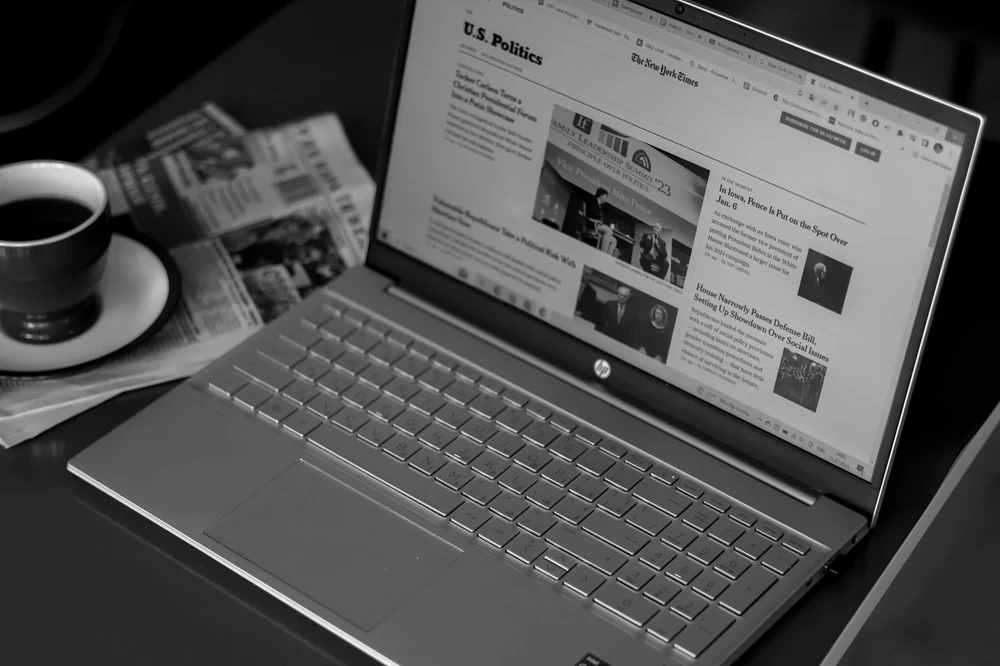
Affordable HP i3 Laptop Performance and Quality Combined
HP’s affordable Intel laptops have long been popular with students, home users and businesses looking for reliable everyday performance without moving into a higher-end processor range. For many years, that entry point was an HP laptop powered by an Intel Core i3 processor.
That is beginning to change. Newer HP models increasingly use Intel’s Core 3 branding instead of Core i3, so shoppers searching for an “HP i3 laptop” will now often find a Core 3 model in the same general part of the market.
These laptops are designed for everyday work such as web browsing, Microsoft Office, email, video calls, online learning and general multitasking. Modern configurations also commonly pair the processor with SSD storage and at least 8GB of RAM, helping Windows and everyday applications feel responsive.
If you are comparing more than just HP, browse our full range of laptops. For HP specifically, you can see the latest HP laptops currently available from PC International.
HP Core i3 vs Intel Core 3: What Changed?
If you arrived here specifically searching for an HP Core i3 laptop, there is an important change to know about before choosing a current model.
Intel has introduced a newer processor naming system that drops the familiar “i” from some of its mainstream processors. As a result, Intel Core 3 now occupies the affordable mainstream part of the range that many laptop buyers previously associated with Core i3.
This does not mean Core 3 is simply the same processor with a different name. Individual processors still have different specifications and generations, so it is worth comparing the complete processor model rather than only the Core 3 or Core i3 label.
For example, current HP laptops using the Intel Core 3 100U combine performance and efficiency cores for everyday multitasking, making them well suited to office applications, studying, browsing, video calls and general home use.
For someone replacing an older HP Core i3 laptop, a modern HP Core 3 machine is therefore a logical place to start.
An affordable HP laptop does not need to be powerful enough for every workload. What matters is having the right balance of processor performance, memory, storage and display quality for the work you actually intend to do.
Intel Core 3 Performance
A modern Intel Core 3 processor is aimed at mainstream everyday computing. It is a sensible option for tasks such as Word and Excel documents, browser-based applications, email, research, streaming and video meetings.
Users who regularly work with demanding creative applications, large datasets, software development environments or other CPU-intensive workloads may benefit from moving further up the Intel processor range.
8GB RAM or More
For general Windows 11 use, 8GB RAM remains a practical starting point. It provides enough memory for everyday multitasking without adding unnecessary cost to an entry-level machine.
If you regularly keep many browser tabs, large spreadsheets and several applications open simultaneously, 16GB can be a worthwhile upgrade.
SSD Storage
An SSD is one of the most important features to look for in an affordable laptop.
Compared with an older mechanical hard drive, an SSD provides much faster boot times, application loading and file access. Current affordable HP laptops are available with different storage capacities, so choose according to how much local storage you actually need.
Full HD Display
Do not assume all affordable laptops have the same screen.
A Full HD display with a resolution of 1920 × 1080 provides considerably more usable detail than the lower-resolution screens found on some older entry-level laptops. Screen size also varies between HP ranges, with compact business models and larger everyday laptops available depending on your preference.
Windows 11
Many current HP laptops ship with Windows 11 or Windows 11 Pro, although some configurations may have a different operating system. Always check the individual product specification before ordering.
Reliable Everyday Performance
For the type of user who previously considered an HP Core i3 laptop, a current Core 3 machine provides a similar proposition: enough performance for everyday computing without paying for processing power you may never use.
The combination of a modern processor, SSD storage and sufficient RAM is more important than concentrating on the processor name alone.
For students, home users and office staff working primarily with documents, cloud applications, email, browsing and video calls, this class of HP laptop remains a strong balance between price and everyday usability.
Choosing an HP Laptop Online
When comparing HP laptops online, start with the work the laptop needs to handle rather than choosing solely by processor name.
For everyday study and home use, an affordable Core 3 model with 8GB RAM and SSD storage may provide everything you need. Business users may place more importance on Windows 11 Pro, additional connectivity, warranty coverage or a more business-focused HP range such as the ProBook.
Storage should also be chosen according to your actual requirements. A smaller SSD may be sufficient if most of your documents are stored in the cloud, while a 512GB or larger drive provides more room for locally stored applications and files.
The HP laptops range includes entry-level everyday machines alongside ProBook, EliteBook and other HP families, making it easier to compare configurations at different price points.
If you want to compare HP against other manufacturers as well, our main laptops range brings the different brands and specifications together in one place.
What Specifications Should You Look For?
There is no single specification for an “HP i3 laptop” or an HP Core 3 laptop. HP uses different displays, memory capacities, SSD sizes, operating systems and chassis across its ranges.
For an affordable everyday laptop, these are useful starting points:
Specification
Practical Starting Point
Processor
Intel Core 3 or equivalent everyday processor
Memory
8GB RAM
Storage
256GB SSD or larger
Display
Full HD where possible
Operating System
Windows 11 or Windows 11 Pro, depending on your needs
Connectivity
Wi-Fi, HDMI and sufficient USB ports for your setup
Treat these as guidelines rather than requirements. Someone storing most files online may be perfectly comfortable with 256GB of storage, while another user may prefer 512GB or more. Likewise, 8GB RAM is suitable for normal everyday use, while heavier multitasking benefits from 16GB.
Further, the 256GB SSD provides ample storage space for all your files and applications. The 6-inch display, with its thin bezel, offers an immersive viewing experience making it a good fit for both work and entertainment. The laptop also supports the latest Windows 11 operating system, which comes with many innovative features aimed to secure and improve your computer’s performance.
Choosing the Right HP Laptop Size
HP offers affordable laptops in different screen sizes and chassis designs, so portability depends on the particular model rather than whether it uses a Core i3 or Core 3 processor.
A compact laptop can be easier to carry between meetings, classes and home, while a larger display provides more working space and may include features such as a numeric keypad.
Thin bezels help manufacturers fit larger displays into more compact chassis, but screen resolution, panel quality and overall weight should still be compared individually.
If the laptop will spend most of its time travelling with you, pay close attention to its dimensions, weight and charger. If it will mostly remain on a desk, screen size and connectivity may matter more.
Laptop Software and Connectivity
Before choosing any laptop, check that the operating system & ports match the way you intend to use it.
Windows 11 Home is suitable for most personal users, while Windows 11 Pro adds features aimed more at businesses and managed environments.
Connectivity can also vary considerably between models. Depending on the laptop, you may find USB-A, USB-C, HDMI, Ethernet and different Wi-Fi standards.
If you regularly connect an external monitor, docking station or other peripherals, checking these ports before ordering can save you from needing additional adapters later.
Understanding Warranty and Secure Delivery Options
Secure delivery is another essential aspect that can’t be overlooked. When purchasing expensive items like a laptop or an intel® core™ 3 processor, having peace of mind that your product will arrive safely is a top priority.
It often involves a complete delivery service, including tracking, sufficient coverage for possible damage or loss, and confirmation of the delivery. Shopping from a reliable supplier like PC International can simplify this process.
We offer secure, doorstep delivery and provide an option to track your order from anywhere. We also have an easy return policy if there’s an issue with your product upon receipt. Understanding the basics of product warranties and secure delivery can enhance your shopping experience and ensure you’re making informed decisions when selecting the right platform or software.
An affordable HP Core 3 laptop makes the most sense for users who need dependable everyday performance rather than a machine built for demanding specialist workloads.
It is particularly well suited to:
Students working with research, assignments and online classes
Home users browsing, streaming and managing everyday documents
Office users working with email, Microsoft Office and browser-based systems
Small businesses looking for practical laptops for general staff
Users replacing an older entry-level Core i3 machine
For these workloads, a well-balanced Core 3 laptop with enough RAM and SSD storage can provide a responsive everyday experience without the additional cost of a higher-performance processor.
Users working with demanding video editing, 3D rendering, engineering applications or high-end gaming should instead consider a more powerful laptop configuration.
Is an HP Core 3 Laptop Worth It?
For everyday computing, an HP Core 3 laptop can provide a sensible balance between price and performance.
The important change for anyone searching for an “HP i3 laptop” is that the market has moved on. Core i3 remains a familiar processor name and is still found in many existing laptops, but newer affordable HP Intel models are increasingly appearing with the Core 3 name instead.
That makes the processor label only the starting point. Compare the RAM, SSD capacity, display, operating system, ports, warranty and overall design before deciding which laptop is best for you.
Feature
Why It Matters
Intel Core 3
Suitable for everyday office, study and home computing
8GB+ RAM
Provides room for normal multitasking
SSD Storage
Improves boot, application and file-loading times
Full HD Display
Provides a clearer, more useful workspace
Right Size and Weight
Makes the laptop better suited to either travel or desk use
Suitable Warranty
Gives you the level of support required for personal or business use
If you are ready to compare current models, browse the latest HP laptops or explore our complete range of laptops for sale across all major brands.
Select the fields to be shown. Others will be hidden. Drag and drop to rearrange the order.